Configuring lsfg-vk
Configuring lsfg-vk
The lsfg-vk configuration can be edited directly or through the graphical interface. The following concepts remain the same:
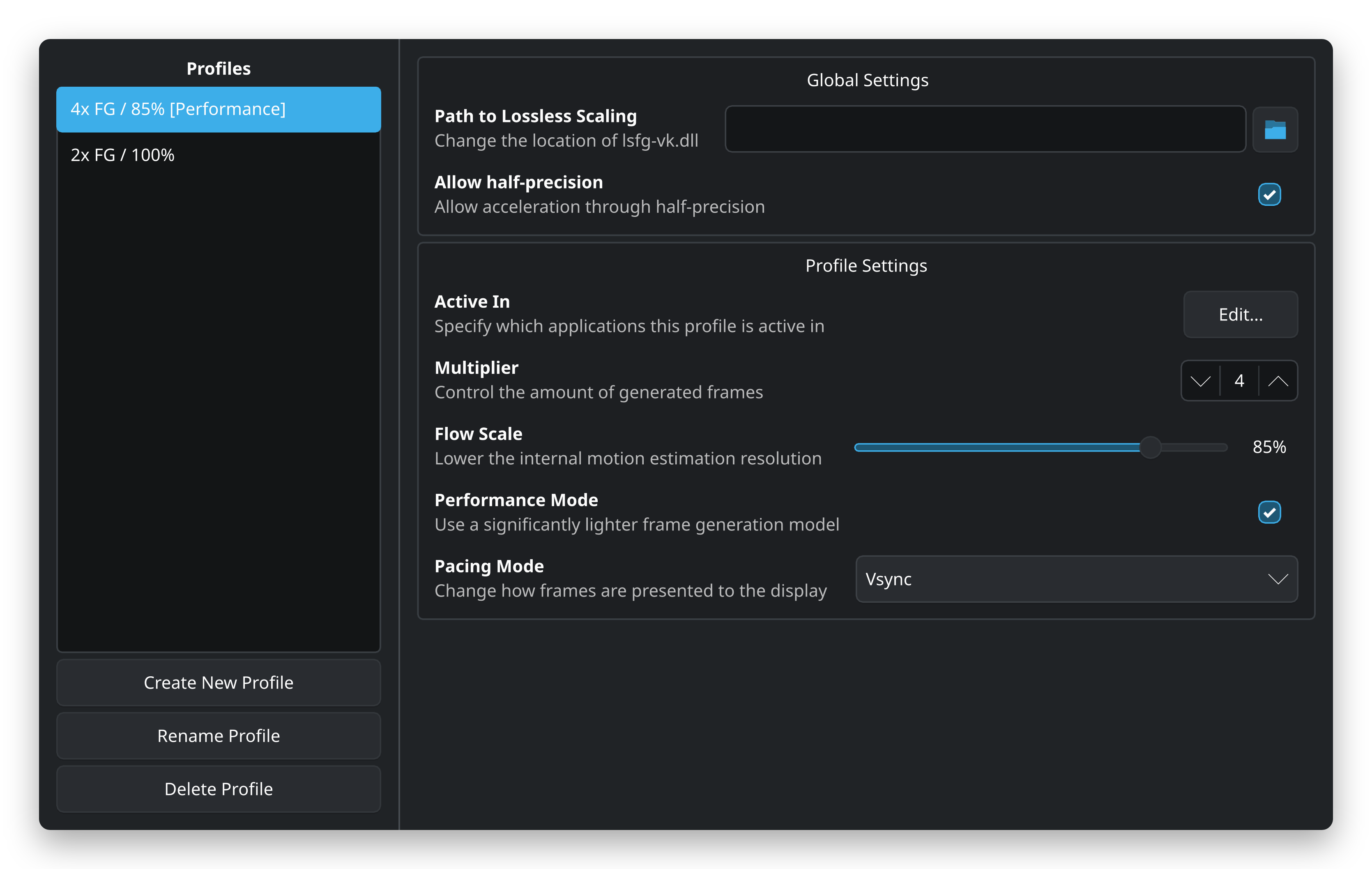
- Profiles: Profiles allow you to create different sets of configuration options for different programs or use cases. A profile can automatically be selected through the “Active In” or
active_inproperty. - Profile Settings: Settings related to a profile are stored under the “Profile Settings” or
[[profile]]section. - Global Settings: Any settings in the “Global Settings” or
[global]section apply to all profiles.
Graphical interface
The graphical interface can be accessed by running lsfg-vk-ui (or ~/.local/bin/lsfg-vk-ui) in a terminal. It should also appear in your application menu as “Configure lsfg-vk”.
Configuration file
The lsfg-vk configuration file is located at ~/.config/lsfg-vk/conf.toml, but may be overriden by XDG_CONFIG_HOME and LSFGVK_CONFIG.
It consists of a [global] section and one or more [[profile]] sections. The configuration file is written in TOML format.
An typical configuration file may look like this:
version = 2

[global]
allow_fp16 = true

[[profile]]
active_in = [ "vkcube", "vkcubepp" ]
flow_scale = 0.85
multiplier = 4
name = "4x FG / 85% [Performance]"
pacing_mode = "vsync"
performance_mode = true

[[profile]]
active_in = "GenshinImpact.exe"
name = "2x FG / 100%"